
Typical Website Security Issues and How SSL Provides the Solution
In the modern digital era, keeping your website secure is more important than ever. As cyber threats grow more advanced, many site owners unintentionally make common security errors that expose their platforms to potential attacks. One of the strongest ways to strengthen website protection is by using Secure Sockets Layer (SSL) certificates. SSL safeguards sensitive information during transmission and boosts user confidence. This article outlines the frequent security missteps website owners make, explains how SSL helps resolve these weaknesses, and provides key best practices to protect your online presence.
Understanding Website Security Vulnerabilities
The Expanding Threat Landscape
In today’s digital ecosystem, new threats emerge almost as quickly as popcorn kernels bursting in a microwave. Cyber attackers are always scanning for weak points to exploit, turning website security into a relentless chase. From data leaks to DDoS assaults, the online environment is filled with risks that can transform a perfectly normal website into a digital horror story overnight.
Common Security Weak Points
Website vulnerabilities come in all sorts of varieties, unfortunately, none of them tasty. Some of the usual suspects include outdated software (because too many people still believe “if it’s working, don’t touch it” applies to cybersecurity), SQL injection (where attackers sneak into your database like uninvited guests), and cross-site scripting (the internet’s version of a mischievous prankster). Recognizing these issues is like identifying the creatures hiding under your bed: once you know what they are, you can finally kick them out for good.
The Importance of SSL in Website Security
What SSL Is and How It Enhances Website Protection
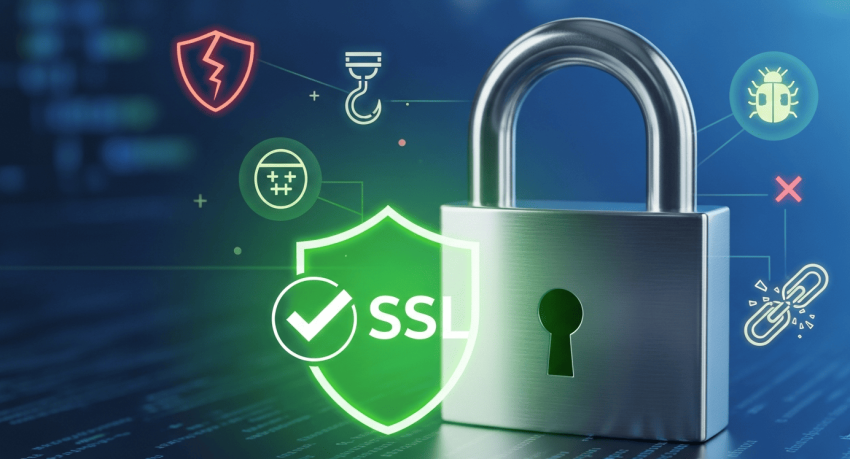
SSL (Secure Sockets Layer) acts as a protective shield around your website, encrypting sensitive information so it stays safe during transmission. It creates a secure, encrypted connection between the server and the user’s browser, ensuring that any data exchanged remains private. You can think of it as a digital secret code that keeps unauthorized parties from snooping on the conversation.
SSL as a Symbol of Trust for Visitors
Picture walking through a busy market and noticing a trustworthy security guard outside a stall, that’s essentially what SSL does for your site. When users see the padlock icon in their browser, they immediately know they’re in a protected environment. This not only reassures them when entering personal details but also elevates your site’s credibility. After all, no one feels comfortable browsing a website that gives off “unsafe” vibes.
Common Website Security Errors Made by Site Owners
Ignoring Software Updates
Failing to install updates is one of the simplest yet most damaging mistakes. Outdated software often contains known vulnerabilities that attackers can easily exploit. Keeping every component of your website up to date is essential to maintaining a secure environment.
Poor Password Practices
Using weak or predictable passwords is essentially handing cybercriminals an easy entry point. Simple passwords are incredibly easy to guess or crack, putting your entire site at risk. Strong, complex, and unique passwords are critical for proper website protection.
Not Backing Up Website Data
Skipping regular backups can lead to catastrophic losses. If your site ever experiences a breach, corruption, or system failure, having no backup means starting from zero. Routine backups act as your recovery plan, ensuring your data can be restored quickly.
Overlooking Security Certificates
Choosing not to implement security certificates leaves your site exposed and untrusted. SSL certificates encrypt sensitive information and verify that your website is legitimate. Ignoring this essential layer of security greatly increases the risk of unauthorized access and data breaches.
How SSL Enhances Website Security and Mitigates Risky Behaviors
Encrypting Sensitive Information
SSL secures private data, such as credit card numbers, personal info, and even that awkward message from your mom, by encrypting it. So, if a hacker attempts to intercept the data, all they’ll get is unreadable nonsense, like flipping through a book written in a language they’ve never seen before.
Blocking Man-in-the-Middle Attacks
When SSL is enabled, man-in-the-middle attacks become far less of a threat. These attacks work by letting cybercriminals slip into the conversation between you and your users. SSL functions like a digital bouncer, ensuring only the rightful parties can access and exchange information, effectively shutting out any unwanted listeners.
Boosting User Trust and Confidence
That little padlock icon does more than just look pretty, it signals safety. When visitors know their information is protected, they’re more likely to complete transactions and revisit your site. It’s the online equivalent of offering warm cookies at your doorstep, almost impossible to resist.
Steps to Properly Implement SSL for Your Website Security
Choosing the Right SSL Certificate
Selecting an SSL certificate is a bit like picking the perfect avocado, choose wrong, and things can get messy fast. Decide whether your site requires a Domain Validation (DV), Organization Validation (OV), or Extended Validation (EV) certificate. Each option has a different level of verification and trust, so make sure you match the certificate type to your website’s needs. Your site’s protection, and your sanity, relies on making the right choice.
Installing SSL Across Different Platforms
The installation steps will vary depending on the platform you use. WordPress users, for example, will follow a different process than those working with cPanel. Think of it like customizing a sandwich: different instructions, same satisfying result. Just follow the platform-specific guidelines, and you’ll have your SSL installed and shining in no time.
Testing Your SSL Setup
After installation, it’s time to double-check that everything works correctly. Use tools like SSL Labs’ SSL Test to uncover any potential weaknesses or misconfigurations. This step is essential, no one wants their site accidentally exposed to lurking cyber threats. A quick scan now can save you from big headaches later.
🔐 Final Thoughts: Strengthen Your Website Security Now
In a digital era where cyber threats evolve rapidly, skipping basic protection is no longer an option. Most website security mistakes happen not because solutions are difficult, but because they’re ignored until it’s too late. Secure your site the right way with SSL from SSL Singapore, a trusted and affordable provider with multi-brand certificate options and expert support.
SSL Singapore, as a Digital Asset Protector, offers premium SSL certificates, S/MIME email signing, Verified Mark Certificates (VMC), and SOC services for SMBs. As a Global Platinum Partner of top CAs like DigiCert, Symantec, GeoTrust, Thawte, RapidSSL, GlobalSign, and Sectigo, they deliver reliable protection for your online assets.
Contact SSL Singapore today and safeguard your website before threats strike.